
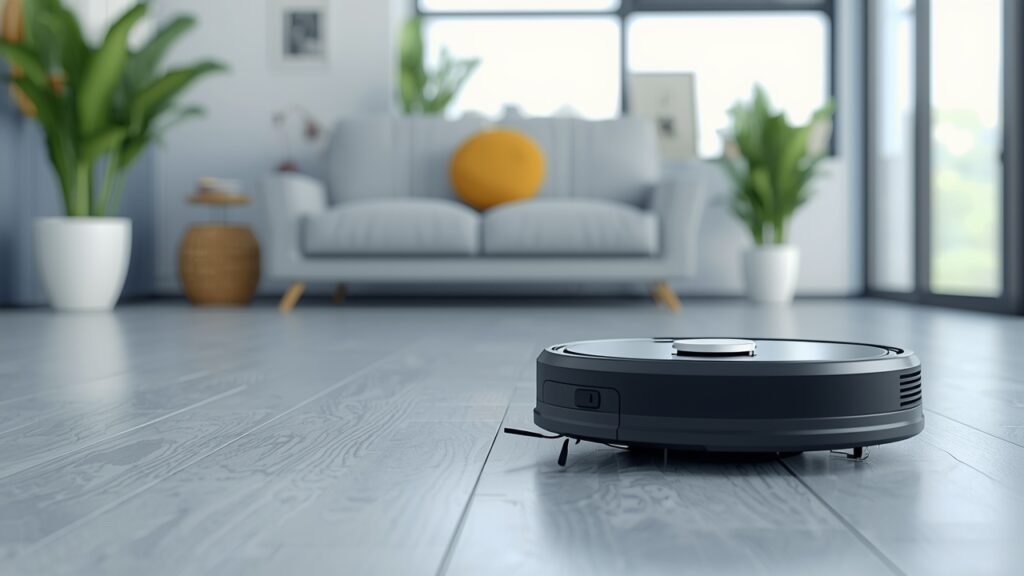
Are you an entrepreneur, freelancer, or small business owner constantly battling against dust bunnies and debris, wishing for more hours in your day? In the fast-paced world of online business, every minute counts. Manual cleaning isn’t just a chore; it’s a significant time drain that pulls you away from critical tasks like strategizing, client work, or product development.
Table of Contents
Imagine a world where your office or home workspace maintains itself, silently, efficiently, and intelligently. This isn’t science fiction; it’s the reality offered by modern AI-powered smart vacuum robots with mapping memory. These sophisticated devices are revolutionizing how we manage our environments, offering a seamless, autonomous cleaning experience crucial for anyone with a demanding schedule. By leveraging advanced sensors and machine learning, they not only clean but learn and adapt,
making them an indispensable asset for productivity. For instance, the rise of Smart home robotic vacuums with laser navigation has drastically improved indoor environmental management, providing precise, efficient cleaning tailored to unique layouts.
Tools & Requirements
To effectively deploy and manage these intelligent cleaning solutions, a few essential tools and requirements are necessary:
- A Compatible AI-Powered Robot Vacuum: Popular brands include iRobot (Roomba i/s series), Roborock (S series), Ecovacs (Deebot T/X series), or Dreame. Research models that specifically highlight AI mapping, laser navigation (Lidar), and persistent memory.
- Smartphone or Tablet: Essential for installing the manufacturer’s companion application, which serves as the control hub for setup, scheduling, map management, and advanced features.
- Stable Wi-Fi Network (2.4 GHz): Most smart robot vacuums operate on the 2.4 GHz band for optimal range and signal penetration. Ensure your network is reliable in the intended cleaning areas.
- Power Outlet: A dedicated, easily accessible power outlet for the charging dock, preferably in a central location that doesn’t obstruct foot traffic.
- Optional: Smart Home Assistant (e.g., Amazon Alexa, Google Assistant): For voice control integration, allowing you to start, stop, or send your robot to specific rooms with simple commands.
- Optional: Internet Access: While basic functionality might work offline, cloud connectivity is crucial for firmware updates, advanced analytics, and remote control capabilities.
Setup & Implementation Timeline

The initial setup for a smart robot vacuum is remarkably straightforward, typically taking less than an hour. Unboxing, placing the charging dock, and getting the robot charged usually consumes about 30 minutes. The software setup, including downloading the app, connecting to Wi-Fi, and initial pairing, takes another 15-20 minutes. The learning curve is generally low to moderate; most users can grasp the core functions within a day of use. Understanding advanced features like virtual walls, no-go zones, and multi-floor mapping might require a bit more exploration within the app, perhaps a few hours over the first week.
The time to see results is almost immediate, as the robot begins cleaning on its first run. However, the true benefits, such as optimized cleaning paths, comprehensive area coverage, and significant time savings, become evident within 1-2 weeks. This period allows the robot to fully map your space, learn traffic patterns, and for you to fine-tune its settings based on your specific needs, truly unlocking its potential for hands-free maintenance.
Step-by-Step Implementation Guide

Deploying your AI-powered smart vacuum robots with mapping memory involves a few critical steps to ensure optimal performance and integration into your workflow:
- Unpack and Initial Charge: Remove all packaging materials, place the charging dock in an accessible location against a wall with good Wi-Fi signal, and let your robot fully charge.
- Download and Install the Companion App: Search for your robot’s official app in your smartphone’s app store. Create an account and follow the in-app instructions to add your device.
- Connect to Wi-Fi: The app will guide you through connecting your robot to your home or office Wi-Fi network. Ensure you’re on a 2.4 GHz network during this process.
- Initiate the First Mapping Run: Once connected, send your robot on its first full cleaning or mapping run. This allows it to explore and create a digital map of your space. Ensure the area is as clear as possible to help with accurate map generation.
- Define No-Go Zones and Virtual Walls: After the map is generated, use the app to mark off areas where the robot shouldn’t go (e.g., pet bowls, delicate electronics, tangled wires). This is a key feature for Smart home robotic vacuums with laser navigation, significantly enhancing efficiency and preventing mishaps.
- Schedule Cleaning Routines: Set up automated cleaning schedules that align with your business hours or personal habits. For instance, schedule cleaning for when you’re out of the office or during off-peak hours.
- Monitor and Refine Maps/Settings: Regularly check the cleaning reports and map data. Over time, you can divide rooms, label areas, and adjust cleaning preferences (e.g., suction power for different floor types) to optimize performance.
Key Benefits & Business Impact
Integrating AI-powered smart vacuum robots with mapping memory offers tangible benefits for entrepreneurs, startups, and online businesses:
- Enhanced Productivity: By automating a recurring, time-consuming chore, you free up valuable hours that can be reallocated to revenue-generating activities, strategic planning, or personal well-being. This direct time saving translates into improved focus on core business objectives.
- Cost Efficiency: For small offices or home-based businesses, these robots significantly reduce or eliminate the need for external cleaning services, offering a substantial return on investment (ROI) over time. Their efficient cleaning also prolongs the life of flooring and carpets.
- Consistent Cleanliness: Enjoy a consistently clean and professional environment without manual effort. This not only boosts morale but also presents a more professional image for client visits or video calls.
- Scalability and Flexibility: Modern units can handle multi-floor mapping and integrate into larger smart home ecosystems, making them adaptable for growing businesses or those with distinct work zones. The ability to customize cleaning zones and schedules offers unparalleled flexibility.
- Data-Driven Insights: The mapping and cleaning reports often provide valuable data on high-traffic areas, cleaning durations, and potential obstacles, helping you optimize your workspace layout for efficiency and cleanliness. The precise navigation of Smart home robotic vacuums with laser navigation means fewer missed spots and more thorough cleaning.
Advanced Tips, Alternatives, or Optimization Strategies
To truly maximize the utility of your robotic vacuum, consider these advanced strategies:
- Smart Home Integration: Connect your robot to platforms like Amazon Alexa or Google Home for seamless voice control. “Hey Google, tell the vacuum to clean the office.”
- Zoned Cleaning: Utilize the app’s ability to create specific cleaning zones. If you have a busy day of shipping products, you can send the vacuum to clean just the packing area.
- Multi-Floor Mapping: If your business operates across multiple levels, invest in a robot that supports multi-floor mapping, allowing it to remember different layouts without having to remap each time it moves floors.
- Self-Emptying Docks: For ultimate hands-off operation, choose models with self-emptying docks. These can hold weeks or even months of debris, further reducing manual intervention.
- Maintenance Scheduling: Set reminders in your digital calendar to clean brushes, empty bins, and replace filters according to the manufacturer’s recommendations.
- Network Optimization: Ensure your Wi-Fi signal is strong and stable in all cleaning areas. A mesh Wi-Fi system can be beneficial for larger spaces.
Common Mistakes to Avoid
Even with advanced technology, some common pitfalls can hinder your robot vacuum’s performance:
- Not Preparing the Space: Leaving cables, small rugs, or stray objects on the floor is the leading cause of robot getting stuck. Solution: Clear the floor of potential obstacles before a scheduled clean.
- Ignoring Initial Mapping Runs: Skipping or interrupting the initial mapping can result in an incomplete or inaccurate map, leading to inefficient cleaning paths. Solution: Ensure the robot completes its first full mapping run uninterrupted.
- Neglecting No-Go Zones: Failing to set up virtual barriers or no-go zones can cause the robot to repeatedly get stuck in problem areas or clean spaces unnecessarily. Solution: Proactively define these zones in the app.
- Infrequent Maintenance: Clogged filters, tangled brushes, and dirty sensors drastically reduce cleaning efficiency and can damage the robot. Solution: Establish a regular maintenance schedule for cleaning brushes, emptying bins, and replacing filters.
- Over-Reliance on Default Settings: Not customizing suction power or cleaning modes for different floor types can lead to suboptimal cleaning. Solution: Experiment with settings in the app to match your environment’s specific needs.
Maintenance, Updates & Long-Term Optimization
To ensure your smart vacuum robot remains an efficient and reliable tool for years, ongoing maintenance and optimization are key:
- Regular Cleaning: Empty the dustbin after each use or as needed. Clean main and side brushes weekly, removing any tangled hair or debris. Wipe down sensors monthly with a dry cloth.
- Filter Replacement: HEPA filters should typically be replaced every 1-3 months, depending on usage and household dust levels. This maintains suction power and air quality.
- Firmware Updates: Periodically check the app for firmware updates. These often include performance enhancements, bug fixes, and new features, ensuring your robot stays current.
- Battery Health: Most modern robots use long-lasting lithium-ion batteries. To maximize battery life, keep the robot on its charging dock when not in use. Avoid letting it completely discharge for extended periods.
- Map Adjustments: If you re-arrange furniture or make significant changes to your space, consider having the robot remap the area or manually update the existing map within the app for optimal navigation.
- Cybersecurity: Ensure your Wi-Fi network is secure with a strong password. Be mindful of the data your robot collects (map data, cleaning reports) and review the manufacturer’s privacy policy.
Conclusion
In today’s demanding digital landscape, leveraging technology to reclaim time and enhance efficiency is not just a luxury; it’s a strategic imperative. AI-powered smart vacuum robots with mapping memory represent a significant leap forward in automating household and office maintenance, offering entrepreneurs, freelancers, and small business owners an invaluable tool to optimize their environments.
By offloading a mundane but necessary chore, these intelligent devices allow you to focus on what truly matters: building your business, serving your clients, and fostering innovation. The blend of advanced AI, precise navigation, and user-friendly control makes them an indispensable asset for modern living. Embracing Smart home robotic vacuums with laser navigation is more than just buying a gadget; it’s investing in productivity, peace of mind, and a consistently pristine workspace. Take the leap, integrate this smart solution into your life, and experience the transformative impact on your daily efficiency and overall well-being.
FAQs
How do these robots map my space?
They use advanced sensors like LiDAR (laser navigation) or vSLAM (visual simultaneous localization and mapping) to scan rooms, identify obstacles, and build a precise digital floor plan. This map is stored in their memory for future cleaning cycles.
Are they effective on all floor types?
Most modern robot vacuums are highly effective on various surfaces, including hardwood, tile, laminate, and low- to medium-pile carpets. Some models even automatically adjust suction power when transitioning between floor types.
Can they avoid obstacles like cables or pet waste?
While basic models might get tangled in cables, advanced robots with AI-powered object recognition can often detect and avoid smaller obstacles, including pet waste. However, preparing the space remains the best practice for optimal performance.
How often should I clean the robot itself?
The dustbin should be emptied after each use or when full. Brushes should be cleaned weekly to remove hair and debris, and filters typically need replacement every 1-3 months, depending on usage frequency and environment.
Is my mapping data secure?
Reputable manufacturers implement robust security measures to protect user data. Mapping data is typically stored securely on the device and/or encrypted cloud servers. Always review the privacy policy of the specific brand you choose for details on data handling.