


Last updated: June 17, 2026
If you’re freelancing in 2026 without using AI tools, you’re working twice as hard as you need to.
The Best Free AI Tools for Freelancers in 2026 Master These to Work Faster and Smarter
The good news? You don’t have to spend a single dollar to get started. The best free AI tools today cover everything from writing client proposals and designing graphics to transcribing calls and automating your inbox — and their free tiers are genuinely usable, not just bait to push you toward a paid plan.
See our complete free AI tools rankings for a broader look across every category.
How We Tested These Free AI Tools for Freelancers
Every tool on this list was tested hands-on over a 3-week period in May 2026 using real freelance scenarios — not theoretical use cases. Here’s exactly how we evaluated each one:
1. Real Freelance Tasks Only
We created a standardized test suite based on actual work freelancers do daily:
Table
| Task Category | Specific Test | Tools Evaluated |
|---|---|---|
| Client Communication | Draft 5 cold outreach emails + 3 follow-up sequences | ChatGPT, Claude, Copy.ai |
| Content Creation | Write a 1,500-word blog post + 10 social captions | ChatGPT, Claude, Grammarly, Copy.ai |
| Visual Design | Create a social media kit (3 posts + 1 story) + remove backgrounds from 5 product photos | Canva AI, Remove.bg |
| Research & Fact-Checking | Research a new industry niche + verify 10 statistics | Perplexity AI, ChatGPT |
| Project Management | Build a project timeline + summarize 3 meeting notes | Notion AI |
| Client Calls | Transcribe 2 simulated 45-minute discovery calls | Otter.ai |
| Presentations | Build a 10-slide client pitch deck from a text brief | Gamma, Canva AI |
2. Free Tier Stress Test
We deliberately pushed each tool to its free limits:
- ChatGPT & Claude: Used until daily caps hit, then evaluated output quality on the fallback model
- Copy.ai: Burned through the 2,000-word monthly limit in 48 hours
- Otter.ai: Transcribed 600 minutes in one week (double the 300-min free cap) to test hard vs. soft limits
- Canva AI: Created 15 designs to test if Magic Studio features throttle
- Gamma: Generated 12 presentations to test if credits reset or hard-lock
3. The “Would I Pay?” Filter
After 3 weeks, we asked one question for each tool: “If the free tier disappeared tomorrow, would a freelancer realistically pay for this?”
Only tools that scored “Yes, absolutely” or “Yes, for specific use cases” made the list. Tools that scored “No, too limited” or “The paid plan isn’t worth it” were cut — even if they’re popular.
4. Cross-Tool Comparison
We ran the same task through multiple tools where overlap exists:
- Proposal writing: ChatGPT vs. Claude → Claude won on tone, ChatGPT on speed
- Social captions : ChatGPT vs. Copy.ai → Copy.ai won on template speed, ChatGPT on customization
- Presentations: Gamma vs. Canva AI → Gamma won on speed, Canva on design flexibility
This head-to-head testing is what shaped the rankings below.
5. What We Did NOT Test
To be transparent, we did not evaluate:
- Paid-only features (we only tested free tiers)
- Enterprise or team plans
- Mobile app performance (desktop web only)
- API integrations or developer tools
The result: 10 tools that genuinely work on their free plans — no paywall bait, no “free trial” tricks, no tools that become useless after 3 uses.
Here are the 10 best free AI tools for freelancers in 2026, ranked by usefulness.
Table of Contents
Quick Comparison Table

| Tool | Best For | Free Tier Limit | Paid Plan |
|---|---|---|---|
| ChatGPT | Writing, research, coding | GPT-4o with daily limits | $20/month |
| Claude | Long-form writing, analysis | Daily usage limit | $20/month |
| Canva AI | Design, visuals, presentations | Thousands of templates | $15/month |
| Grammarly | Editing, tone, clarity | Basic grammar + tone | $12/month |
| Perplexity AI | Research, fact-checking | Unlimited basic search | $20/month |
| Notion AI | Project management, notes | Limited AI blocks | $10/month |
| Otter.ai | Meeting transcription | 300 min/month | $17/month |
| Copy.ai | Short-form copy, emails | 2,000 words/month | $49/month |
| Gamma | Presentations, decks | 10 AI credits/month | $10/month |
| Remove.bg | Background removal | Low-res free downloads | $9/month |
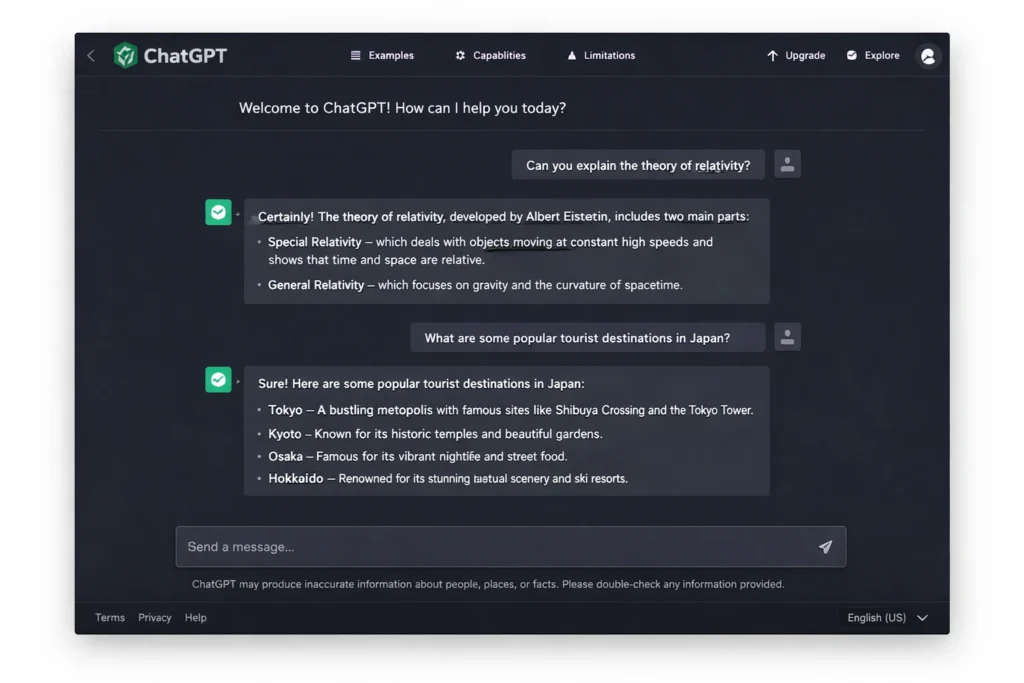
1. ChatGPT (Free) — Best All-Round AI Assistant

Best for: Writing, research, coding, client communication
Free plan: Access to GPT-4o with daily usage limits
ChatGPT is the Swiss Army knife of freelance AI tools. In testing, it handled everything from drafting cold outreach emails to debugging JavaScript snippets for a client project — all on the free tier.
What makes it especially useful for freelancers is its range. You can use it to:
- Write and refine client proposals in minutes
- Brainstorm service packages and pricing pages
- Draft follow-up emails after client calls
- Create blog outlines and full first drafts
- Translate documents for international clients
The free plan now includes GPT-4o — OpenAI’s most capable model — with daily usage limits that are generous enough for typical solo freelance work. If you hit the cap, it switches to GPT-4o mini, which is still more than capable for most tasks.
Verdict: If you only pick one tool from this list, start here. It covers the widest range of freelance tasks of any tool we tested.
2. Claude (Free) — Best for Long-Form Writing and Deep Analysis
Best for: Long documents, nuanced writing, contract review
Free plan: Daily message limit, access to Claude Sonnet
Where ChatGPT is broad, Claude is deep. It consistently produced the most natural-sounding writing in our tests — less robotic, more human. It’s particularly strong for:
- Writing detailed project proposals (5,000+ words)
- Reviewing contracts and highlighting unusual clauses
- Summarizing long client briefs
- Rewriting awkward copy into clean, professional language
The free tier has a daily usage cap, but for focused work sessions it’s more than sufficient. One thing to note: Claude won’t help with everything, and it’s more likely than ChatGPT to push back on ambiguous or borderline requests. For most freelance tasks, this isn’t an issue.
Verdict: The best free AI writer for tone and quality. Pair it with ChatGPT for variety and speed.
3. Canva AI (Free) — Best for Freelance Designers and Content Creators

Best for: Social media graphics, client presentations, visual content
Free plan: Thousands of templates + Magic Studio AI tools
Canva’s free plan is one of the most generous in the design world. The AI features (bundled under Magic Studio) are included in the free tier and include:
- Magic Write: AI text generation inside your designs
- Background Remover: One-click background removal
- Text to Image: Generate custom AI images from prompts
- Magic Resize: Adapt designs to any format instantly
For freelancers who aren’t professional designers, Canva AI turns “I need a social media kit for a client by Friday” from a stressful task into a two-hour project.
Verdict: A must-have for any freelancer who delivers visual content. The free plan is remarkably complete.
4. Grammarly (Free) — Best for Writing Quality and Professionalism
Best for: Editing, tone adjustment, client-facing writing
Free plan: Basic grammar, spelling, and tone detection
Freelancers live and die by their written communication. A poorly worded proposal or a tone-deaf email can lose a client before the project even starts.
Grammarly’s free plan catches grammar errors, spelling mistakes, and tone issues in real time across your browser, Google Docs, and most web-based platforms. The AI-powered suggestions help you:
- Make emails sound more confident and clear
- Spot passive voice and weak phrasing before hitting send
- Adjust tone from casual to professional in one click
The paid plan adds more advanced style suggestions and plagiarism checking, but the free version alone is worth installing.
Verdict: Install it once and forget it. It quietly improves every piece of writing you produce.
5. Perplexity AI (Free) — Best for Research and Fact-Checking
Best for: Quick research, sourcing data, competitor analysis
Free plan: Unlimited basic searches with citations
Perplexity is what Google would be if it actually answered your question. It combines AI with real-time web search and returns cited answers — meaning you can verify every claim it makes.
For freelancers, this is invaluable for:
- Researching industries before client calls
- Finding statistics to back up your proposals
- Quickly understanding a new niche before writing about it
- Fact-checking your own content before delivery
Unlike ChatGPT, Perplexity’s free plan includes real-time web access with no daily limit for basic searches. This makes it a genuinely useful research companion throughout the day.
Verdict: Replaces hours of manual Googling. Use it before every client meeting and every piece of research-heavy content.
6. Notion AI (Free) — Best for Project Management and Organization

Best for: Task tracking, client notes, content planning
Free plan: Unlimited blocks + limited AI credits
Notion is already one of the best free project management tools available. The AI layer (Notion AI) adds the ability to:
- Auto-summarize meeting notes
- Generate project timelines from a brief description
- Draft client-facing status updates from your internal notes
- Create templates for repeating project types
The free plan gives you unlimited pages and blocks, with a limited number of AI responses per month. For solo freelancers managing two to five clients, the free tier is usually enough.
Verdict: The best free command center for your freelance business. Especially useful if you work across multiple clients and projects simultaneously.
7. Otter.ai (Free) — Best for Transcribing Client Calls
Best for: Meeting transcription, interview notes, call summaries
Free plan: 300 minutes of transcription per month
If you have any kind of client call — discovery calls, project kickoffs, feedback sessions — Otter.ai is non-negotiable. It automatically transcribes your meetings in real time, so you can focus on the conversation instead of scribbling notes.
The free plan includes 300 minutes per month, which covers roughly 15 to 20 calls. It also integrates directly with Zoom and Google Meet, so transcription starts automatically when your call begins.
Post-call, Otter generates a summary and highlights action items — which you can send directly to your client as a professional recap.
Verdict: Saves 20–30 minutes per client call. One of the highest-value free tools on this list for any freelancer who works over video.
8. Copy.ai (Free) — Best for Short-Form Copy and Marketing Content
Best for: Email sequences, social captions, product descriptions
Free plan: 2,000 words per month
Copy.ai is purpose-built for marketing copy — which makes it ideal for freelancers who write for clients in ecommerce, SaaS, or social media.
The free plan includes access to over 90 copywriting templates covering everything from cold email openers to Instagram captions to product page descriptions. It’s faster than using ChatGPT for these specific formats because the templates remove the need for detailed prompting.
Verdict: Not a replacement for a general AI assistant, but an excellent specialist tool for any freelancer focused on marketing or copywriting work.
9. Gamma (Free) — Best for Client Presentations
Best for: Pitch decks, project proposals, client reports
Free plan: 10 AI credits (roughly 10 presentations)
Gamma turns a text outline into a polished, professional presentation in under two minutes. For freelancers who regularly deliver decks to clients — strategy proposals, onboarding presentations, monthly reports — this is a significant time saver.
Unlike Canva, Gamma is specifically built for presentations and handles the layout, formatting, and visual hierarchy automatically. You just paste your content and let it work.
The free plan gives you 10 AI-generated presentations, which is enough to evaluate whether it fits your workflow before committing to a paid plan.
Verdict: The fastest way to build a professional-looking presentation from scratch. Ideal for freelancers who sell strategic services.
10. Remove.bg (Free) — Best for Quick Image Editing
Best for: Product photos, headshots, client deliverables
Free plan: Unlimited low-resolution downloads
Remove.bg does exactly one thing: it removes the background from any image in seconds. But it does it better than almost any other tool, and for many freelancers, it eliminates the need for Photoshop entirely.
Common use cases include cleaning up product photos for ecommerce clients, creating transparent-background logos, and preparing professional headshots for profile pages.
The free plan gives you low-resolution output (640px), which is fine for web use. For high-res downloads, you’ll need credits or a paid plan.
Verdict: A hyper-specific tool that earns its spot by being the absolute best at what it does.
The Recommended Free Stack for Freelancers in 2026
You don’t need all ten tools on day one. Here’s a practical starter stack based on freelance type:
Writers and Content Creators → ChatGPT + Claude + Grammarly + Perplexity AI
Designers and Visual Creators → Canva AI + Remove.bg + Gamma
Consultants and Strategists → Notion AI + Otter.ai + Perplexity AI + ChatGPT
All-Round Freelancers (Full Stack) → ChatGPT + Grammarly + Canva AI + Notion AI + Otter.ai
Frequently Asked Questions
Are these AI tools really free? Yes — every tool on this list has a free tier you can use indefinitely. Some have daily or monthly usage limits, but they’re generous enough for real freelance work. We’ve noted the exact limits for each tool above.
Which free AI tool is best for writing proposals? Claude and ChatGPT are the two strongest options for writing proposals. Claude tends to produce more natural-sounding long-form writing, while ChatGPT is faster for drafting and iterating quickly. Use both and pick the output you prefer.
Can I run my entire freelance business on free AI tools? Yes, for most solo freelancers. The stack above covers writing, design, research, project management, and client communication — all at $0. You’ll only need paid plans once your volume grows or you need specific advanced features.
Is Notion AI free? Notion itself is free with unlimited pages. Notion AI is an add-on that includes a limited number of free AI responses per month. After that, it’s $10/month per user, billed annually.
What’s the difference between ChatGPT and Claude for freelancers? ChatGPT is broader and faster, covering more use cases including coding. Claude tends to produce higher-quality, more nuanced writing for long-form content. Most experienced freelancers use both, switching depending on the task.
Do I need to pay for Grammarly? The free plan is genuinely useful for most freelancers. It catches grammar, spelling, and basic tone issues in real time. The paid plan adds advanced style suggestions and a plagiarism checker, which is worth it if you write long-form content regularly.
Final Verdict
The freelancers who are winning in 2026 aren’t necessarily the ones spending more on tools — they’re the ones who’ve built a smart, lean AI stack that handles the repetitive parts of their workflow so they can focus on the work that actually requires their expertise.
Every tool on this list is free to start. Pick two or three that match your workflow, spend a week getting comfortable with them, and build from there.
Start with ChatGPT + Grammarly + one specialist tool. That alone will save you hours every week.
At TecDigi, we personally test every tool we recommend. No tool paid to appear on this list.