


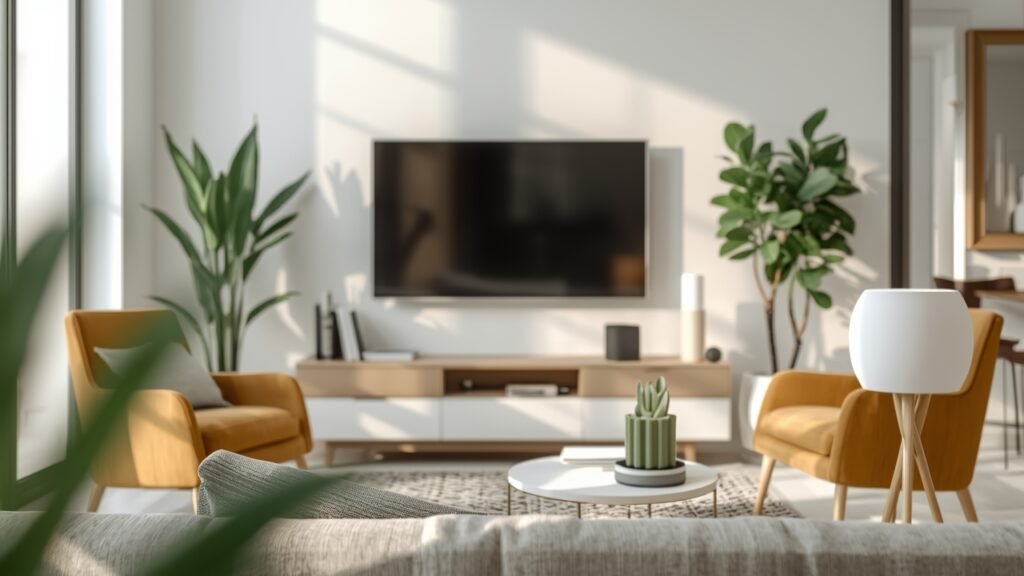
Are you an entrepreneur, freelancer, or startup founder living in a rented space, yearning for the conveniences of a smart home without risking your security deposit? The notion of upgrading your living environment with cutting-edge technology often collides with landlord restrictions and the impracticality of permanent installations. But what if you could enhance your productivity, security, and comfort without a single drill hole?
Table of Contents
The digital age demands efficiency and adaptability, and your home office or creative hub should be no exception. Modern Smart home devices for renters (non-invasive installation) offer a compelling solution, providing robust functionality that’s easy to set up, dismantle, and move. This article will guide you through transforming your rented property into an intelligent ecosystem using portable smart home devices, ensuring you gain all the benefits without any landlord-tenant friction.
Tools & Requirements
Embarking on your renter-friendly smart home journey requires a selection of readily available and affordable digital tools and devices. The beauty of non-invasive setups lies in their minimal prerequisites.
- Reliable Wi-Fi Network: Essential for all smart devices to communicate. A mesh Wi-Fi system is highly recommended for larger spaces or if you experience dead zones.
- Smartphone/Tablet: For initial setup, control, and monitoring via dedicated apps (iOS/Android).
- Smart Plugs: Wi-Fi-enabled plugs (e.g., TP-Link Kasa, Meross, Amazon Smart Plug).
- Voice Assistant Device: Amazon Echo Dot, Google Nest Mini, or Apple HomePod Mini (optional, but highly recommended for hands-free control).
- Stick-On Sensors: Door/window sensors (e.g., Aqara, Ring Alarm Contact Sensor) that use adhesive.
- Battery-Powered Indoor Camera: Wyze Cam Outdoor v2, Arlo Essential Indoor Camera (often with magnetic bases or small adhesive mounts).
- Smart Lighting (Bulbs/Strips): Philips Hue, Govee, LIFX smart bulbs (screw into existing fixtures) or adhesive LED strips.
- Smart Thermostat (Portable/Temporary): Options like Mysa or Ecobee thermostats (if compatible with your existing setup and easily swapped back), or smart vents/zones if thermostat replacement isn’t feasible.
- Smart Lock (Temporary): August Smart Lock (mounts over existing deadbolt on the inside), ensuring you keep your original keys.
- Cloud Accounts: For specific device manufacturers (e.g., Kasa, Alexa, Google Home, Apple HomeKit) to manage and automate.
Setup & Implementation Timeline


The beauty of these renter-friendly smart solutions is their rapid deployment. Most setups are designed for plug-and-play simplicity, minimizing the learning curve for even novice tech users. Initial setup for basic devices like smart plugs and bulbs can take as little as 5-10 minutes per device. Integrating a voice assistant and creating initial routines might add an hour or two. A comprehensive smart home configuration, including sensors and a camera, can typically be completed within a single afternoon (3-5 hours). You can expect to see immediate results in convenience and control, with productivity and security benefits becoming apparent from day one. The initial time investment is minimal, yielding significant daily returns in efficiency.
Step-by-Step Implementation Guide


Implementing Smart home devices for renters (non-invasive installation) is straightforward. Follow these steps to build your efficient digital ecosystem:
- Assess Your Needs & Space: Identify pain points. Do you need automated lighting for video calls, enhanced security for equipment, or just more convenient control over your environment? Plan where each device will go, ensuring good Wi-Fi coverage.
- Install Smart Plugs & Bulbs: Plug in your smart plugs and screw in your smart bulbs. Download the respective apps (e.g., Kasa, Philips Hue). Follow the in-app instructions to connect them to your Wi-Fi network. Rename devices logically (e.g., “Desk Lamp,” “Coffee Maker”).
- Set Up Your Voice Assistant: If using an Echo Dot or Nest Mini, plug it in and complete the setup via its companion app. Link your smart plug/bulb accounts to the voice assistant’s app (e.g., Alexa app, Google Home app) to enable voice control.
- Deploy Stick-On Sensors: Attach door/window sensors using their adhesive backing. Connect them to their hub (if required) or directly to Wi-Fi via their app. Configure notifications for when they open or close.
- Position Security Camera: Place your battery-powered camera in a strategic location (e.g., facing your entry door, monitoring your workspace). Ensure it has a clear field of view. Follow the app instructions to connect and set up motion detection alerts.
- Integrate a Portable Smart Lock (Optional): Install an August Smart Lock over your existing deadbolt. This typically takes 10-15 minutes and requires only a screwdriver, leaving the exterior lock untouched.
- Create Routines & Automations: This is where the magic happens. Use your voice assistant or individual device apps to create rules. Examples: “Good Morning” routine turns on lights, starts the coffee maker, and plays the news. “Away” routine turns off all lights, arms sensors, and activates the camera. This is crucial for maximizing the benefits of portable smart home devices.
Configuration Tips: Use strong, unique passwords for all smart device accounts. Group devices logically (e.g., “Living Room Lights”). Regularly test your routines to ensure they function as expected.
Key Benefits & Business Impact
Embracing Smart home devices for renters (non-invasive installation) offers tangible benefits for online entrepreneurs, freelancers, and small businesses operating from a rented space. Productivity gains are significant; automating repetitive tasks like turning on lights, adjusting thermostats, or even scheduling device power cycles frees up valuable mental bandwidth for core business activities. Imagine starting your workday with lights adjusted, the coffee brewing, and your office ready with a simple voice command or scheduled automation.
Security improvements are paramount for digital-first businesses. Battery-powered cameras provide visual monitoring of your home office, while stick-on sensors alert you to unauthorized access, protecting valuable equipment and intellectual property. This proactive security layer, without permanent modifications, enhances peace of mind and allows you to focus on growth. Furthermore, the energy efficiency offered by smart lighting and thermostat controls can lead to reduced utility costs, positively impacting your operational budget. The scalability of these portable smart home devices means you can start small and expand your smart ecosystem as your needs evolve, ensuring a flexible and future-proof digital environment.
Advanced Tips, Alternatives, or Optimization Strategies
To further enhance your renter-friendly smart home, consider these advanced strategies:
- Matter & Thread Compatibility: Look for devices that support Matter, the new smart home interoperability standard. This ensures greater compatibility and future-proofing, reducing reliance on single ecosystems.
- Local Control vs. Cloud-Dependent: While most devices rely on the cloud, some offer local control (e.g., Home Assistant with specific hubs). This offers greater privacy and responsiveness, though it involves a steeper learning curve.
- Energy Monitoring Plugs: Upgrade to smart plugs that include energy usage monitoring. This data can help you identify power-hungry appliances and optimize your energy consumption, directly impacting your business overheads.
- Smart Blinds/Curtains: Explore battery-powered, adhesive-mounted smart blinds or curtain openers. These can be automated to manage natural light, improving comfort and reducing glare during video calls.
- Wi-Fi Range Extenders/Mesh Networks: For larger rental properties or if you experience connectivity issues, a mesh Wi-Fi system is a superior alternative to basic range extenders, providing seamless coverage.
- IFTTT (If This Then That): Integrate devices from different manufacturers using IFTTT applets. This powerful automation platform allows you to create custom workflows (e.g., “If my smart camera detects motion, then flash my smart lights”).
Common Mistakes to Avoid

Even with non-invasive setups, a few common pitfalls can hinder your smart home experience:
- Over-Complicating Initial Setup: Trying to automate everything at once can lead to frustration. Start with simple automations and gradually add complexity.
- Ignoring Wi-Fi Quality: A weak or overloaded Wi-Fi network is the number one cause of smart device unreliability. Invest in a robust router or mesh system.
- Forgetting Device Updates: Firmware updates often bring new features and critical security patches. Regularly check and install updates for all your smart devices.
- Using Default Passwords: Never use the default or easily guessable passwords for your Wi-Fi or device accounts. This is a major security vulnerability for your business data.
- Not Labelling Devices Logically: Calling a smart plug “Plug 1” and “Plug 2” makes voice control confusing. Use descriptive names like “Office Lamp” or “Charger.”
- Disregarding Privacy Settings: Review the privacy settings for cameras and voice assistants. Understand what data is being collected and how it’s used to protect your business and personal information.
Maintenance, Updates & Long-Term Optimization
Maintaining your renter-friendly smart home involves minimal effort but ensures long-term reliability and security. Regularly check for firmware updates for all your smart devices and hubs – these often include security patches and performance enhancements. Monitoring device performance, such as battery life in sensors or camera uptime, is crucial to prevent unexpected outages.
Implement robust cybersecurity practices: use strong, unique passwords, enable two-factor authentication (2FA) wherever possible, and isolate your smart devices on a separate guest network if your router supports it. Back up any custom routines or configurations if your ecosystem allows. Periodically review your automations; as your business needs evolve, some routines may become obsolete or require optimization. Continuous improvement means refining your smart home to consistently support your productivity and security needs.
Conclusion
Embracing Smart home devices for renters (non-invasive installation) is no longer a futuristic dream but a practical reality for today’s dynamic entrepreneurs and online businesses. These innovative solutions offer significant boosts to productivity, security, and comfort, all while respecting landlord agreements and your valuable security deposit. By opting for portable smart home devices, you gain the power to create an intelligent, responsive environment that adapts to your needs, rather than being limited by your tenancy. Take the leap and transform your rented space into a smart, efficient hub that fuels your success.
FAQs
Are renter-friendly smart devices truly non-invasive?
Yes, the devices recommended are designed for temporary installation. They primarily use existing power outlets, screw into standard light fixtures, or employ adhesive/magnetic mounts that leave no marks when removed, ensuring your rental property remains pristine.Can I take my smart devices with me when I move?
Absolutely. One of the greatest advantages is their portability. Most devices are simple to uninstall, pack, and set up again in your next location, making them a wise investment for mobile entrepreneurs and freelancers.Do these devices require a special hub, or can they connect directly to Wi-Fi?
Many modern devices, especially smart plugs and bulbs, connect directly to your existing Wi-Fi network. Some advanced systems, like certain security sensors or lighting setups, might use a small hub, which is also portable and non-invasive.How secure are these wireless home automation solutions?
Security is a key consideration. Most reputable brands implement strong encryption and regular software updates. It’s crucial for users to set strong, unique passwords and enable two-factor authentication for all accounts to maintain robust digital protection.Will these smart gadgets interfere with my existing internet speed or landlord’s network?
While an abundance of devices can impact Wi-Fi performance, modern routers and smart home tech are designed for efficiency. A quality Wi-Fi router or mesh system can handle numerous connections without significantly impacting speed, ensuring smooth operation for all your online activities.