
Are you an entrepreneur or online professional constantly seeking ways to optimize your workflow and create a more efficient living and working environment? In today’s fast-paced digital landscape, every minute saved, every task automated, translates directly into increased productivity and focus for your core business. Integrating smart technology into your home or office isn’t just about convenience; it’s a strategic move to streamline operations, enhance security, and even manage energy consumption more effectively.
Table of Contents
This guide will dive deep into the world of Smart home devices compatible with Alexa routines, revealing how these integrations can transform your daily grind. We’ll explore how leveraging voice-controlled smart home devices through Amazon’s Alexa can empower freelancers, startups, and established online businesses to work smarter, not harder.
Tools & Requirements
To embark on your Alexa-powered smart home journey, you’ll need a few essential tools and platforms:
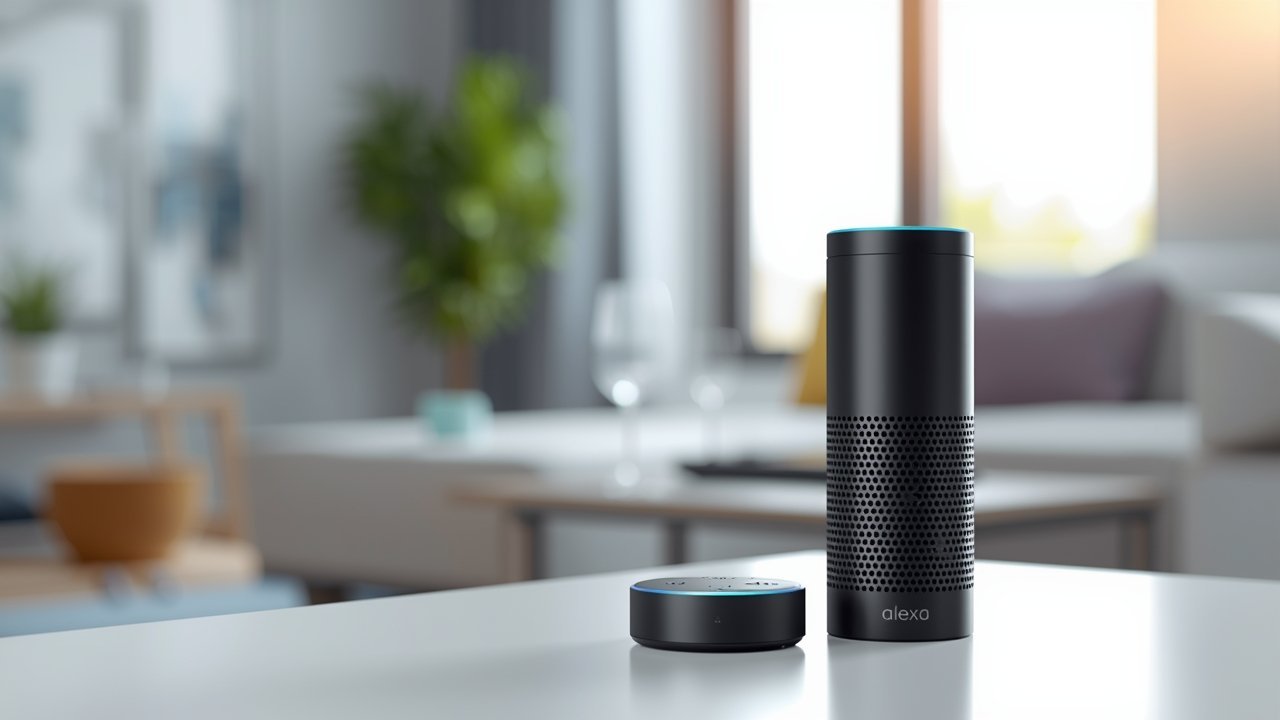
- Amazon Echo Device: This is your central hub for Alexa. Options range from the Echo Dot (entry-level) to the Echo Show (with a screen) or Echo Studio (premium sound).
- Alexa App: Available on iOS and Android, this app is crucial for setting up devices, creating routines, and managing your smart home ecosystem.
- Stable Wi-Fi Network: A reliable internet connection is fundamental for all smart devices to communicate effectively.
- Compatible Smart Home Devices: These are the stars of the show! Examples include:
- Smart Plugs: Convert traditional appliances (coffee makers, desk lamps, fans) into smart devices.
- Smart Light Bulbs/Switches: Control lighting brightness and color, or turn lights on/off.
- Smart Thermostats: Manage your home’s climate for comfort and energy efficiency.
- Smart Locks: Enhance security and provide remote access control.
- Smart Security Cameras: Monitor your property from anywhere.
- Robot Vacuums: Automate cleaning tasks.
- Amazon Account: Required to set up and manage your Echo devices and the Alexa app.
Setup & Implementation Timeline

The initial setup for integrating smart home devices with Alexa routines is surprisingly quick. For a basic setup involving a few devices and simple routines, you could be up and running in under an hour. The learning curve for the Alexa app and routine creation is generally low, thanks to its intuitive interface. You’ll likely see immediate results as soon as your first routine is active, such as lights turning on at sunset or your office fan activating when you say “Alexa, focus time.” More complex integrations involving multiple devices, motion sensors, or intricate conditional logic might take a few hours to perfect, but the foundational benefits manifest almost instantly.
Step-by-Step Implementation Guide

Implementing a robust, automated smart home setup with Alexa routines is a straightforward process that can significantly boost your daily efficiency. Here’s a step-by-step guide to get you started:
- Install and Power On Your Devices: Unbox and install each of your smart home devices (e.g., screw in smart bulbs, plug in smart plugs, install smart locks). Follow the manufacturer’s instructions for initial pairing to their respective apps if required. Many devices will indicate they are ready for pairing (often blinking lights).
- Add Devices to Alexa:
- Open the Alexa app on your smartphone or tablet.
- Tap ‘Devices’ at the bottom right.
- Tap the ‘+’ icon at the top right, then ‘Add Device’.
- Select the type of device you’re adding (e.g., ‘Light’, ‘Plug’, ‘Thermostat’).
- Follow the on-screen prompts to discover and connect your device. Alexa will guide you through finding and linking your devices. For many Smart home devices compatible with Alexa routines, this is a very smooth process, often detecting them automatically.
- Create Rooms/Groups (Optional but Recommended): Once devices are added, organize them into rooms (e.g., “Office,” “Living Room,” “Bedroom”) or groups (e.g., “All Lights Downstairs”). This allows you to control multiple devices with a single command (e.g., “Alexa, turn off office lights”).
- Set Up Your First Routine:
- In the Alexa app, tap ‘More’ at the bottom right, then ‘Routines’.
- Tap the ‘+’ icon to create a new routine.
- When This Happens: Define your trigger. This could be:
- Voice Command: “Alexa, start my workday.”
- Schedule: “Every weekday at 8:00 AM.”
- Device Event: “When the motion sensor in the office detects movement.”
- Location: “When I arrive home.”
- Add Action: Define what Alexa should do. You can add multiple actions:
- ‘Smart Home’: Control your connected devices (e.g., turn on office lights, set thermostat to 72°F).
- ‘Alexa Says’: Have Alexa speak a custom phrase (e.g., “Good morning, time to conquer the day!”).
- ‘Music & Audio’: Play a specific playlist or radio station.
- ‘Wait’: Add a delay between actions.
- Choose Device: Select which Echo device should perform the actions or respond to the trigger.
- Review and ‘Save’ your routine.
- Configure Advanced Routines: Experiment with multi-step routines. For instance, a “Leaving Office” routine could turn off all lights, lock the smart door, and activate your smart security camera with a single command. The versatility of voice-controlled smart home devices through routines is immense.
Key Benefits & Business Impact
For entrepreneurs, freelancers, and online business owners, integrating Smart home devices compatible with Alexa routines offers tangible benefits that extend beyond mere convenience. Firstly, there’s a significant boost in productivity and focus. By automating mundane tasks like adjusting lighting, temperature, or even brewing coffee, you free up mental bandwidth to concentrate on high-value business activities. Imagine a “Workday Start” routine that sets your office ambiance perfectly without you lifting a finger.
Secondly, smart home technology enhances security and peace of mind. Smart locks and cameras, integrated with Alexa, allow remote monitoring and control, crucial for those who travel or manage multiple properties. You can simulate occupancy with automated lighting routines, deterring potential threats. Thirdly, energy efficiency and cost savings are a direct impact.
Routines can automatically turn off lights and adjust thermostats when you leave or during off-peak hours, reducing utility bills. Finally, the scalability of these systems means you can start small and expand your smart ecosystem as your needs evolve, ensuring a long-term return on your initial investment in voice-controlled smart home devices.
Advanced Tips, Alternatives, or Optimization Strategies
To truly maximize your Alexa smart home, consider these advanced strategies:
- Conditional Routines: Beyond simple “when this, then that,” explore routines that activate based on conditions like “if a door is open for 5 minutes after 10 PM, then notify me.”
- IFTTT Integration: If This Then That (IFTTT) allows you to connect Alexa to a wider array of services and devices that might not have direct Alexa integration. This opens up possibilities for complex multi-platform automation.
- Alexa Guard: For enhanced security, enable Alexa Guard. Your Echo devices can listen for the sound of smoke alarms or glass breaking and alert you via the Alexa app, even forwarding audio clips.
- Multi-Echo Setup: Place Echo devices in different rooms to ensure seamless voice control throughout your space. Use “multi-room music” for synced audio experiences.
- Zigbee/Matter Hubs: Some Echo devices (like the Echo Show 10, Echo 4th Gen) include built-in Zigbee or Matter hubs, simplifying the connection process for many compatible devices by eliminating the need for their own separate hubs.
- Energy Monitoring Plugs: Invest in smart plugs that offer energy monitoring. This allows you to track power consumption of connected appliances, helping you identify and reduce energy vampires.
Common Mistakes to Avoid
While setting up your smart home is generally user-friendly, a few common pitfalls can hinder your experience:
- Overlooking Wi-Fi Strength and Coverage: A weak or spotty Wi-Fi signal is the most frequent cause of device disconnection and routine failures. Ensure your router can cover all your smart devices and consider mesh Wi-Fi if you have a large space.
- Ignoring Device Compatibility: Not all “smart” devices work with Alexa out of the box. Always check for “Works with Alexa” certification before purchasing. Incompatible devices mean frustration and wasted time.
- Poor Naming Conventions: Giving devices vague names like “Light 1” or “Plug A” can lead to confusion. Use descriptive names like “Office Desk Lamp” or “Living Room Fan” for easier voice commands and routine creation.
- Creating Overly Complex Initial Routines: Start simple. Build a few basic routines, test them, and then gradually add more complexity. Trying to create a dozen intricate routines simultaneously can be overwhelming and harder to troubleshoot.
- Forgetting Regular Firmware Updates: Smart devices, like any software, require updates for security patches, bug fixes, and new features. Neglecting these can lead to performance issues or vulnerabilities.
- Not Testing Routines Thoroughly: Always test a routine immediately after creating it. This helps catch any misconfigurations or unexpected behaviors before they impact your daily schedule.
Maintenance, Updates & Long-Term Optimization
Maintaining an efficient Alexa-powered smart home involves a few ongoing practices. Regularly check the Alexa app for notifications about device firmware updates; these often contain crucial security patches and performance enhancements. It’s also wise to periodically review your routines.
As your business needs or daily schedule changes, some routines might become obsolete or could be optimized further. Monitor device connectivity and Wi-Fi performance; if devices frequently drop offline, it might indicate a network issue or a failing device that needs attention. Back up your Alexa data (though this is largely handled by Amazon, knowing your device settings are synced to your account is important).
For security, review device permissions periodically and change passwords for linked accounts (like smart lock apps) every few months. Continuous improvement in smart home automation means staying informed about new Alexa features and compatible devices that can further enhance your digital workflow.
Conclusion
Embracing Smart home devices compatible with Alexa routines is more than just adopting new gadgets; it’s a strategic investment in creating a highly optimized, responsive, and secure environment for your online business and personal life. From automating tedious daily tasks that drain your time to enhancing physical security and optimizing energy consumption, the benefits are clear and quantifiable. By following a structured approach to setup, avoiding common pitfalls, and committing to ongoing maintenance, you can unlock a new level of efficiency and focus. We encourage all entrepreneurs, freelancers, and online businesses to explore how integrating voice-controlled smart home devices can empower them to achieve more with less effort, allowing you to dedicate your valuable time to growing your ventures.
FAQs
Q: What’s the difference between a routine and a skill?
A: A routine is a set of automated actions triggered by a specific event (like a time or voice command). A skill is an app or feature that adds capabilities to Alexa, like playing a game or ordering food, activated with a specific phrase.
Q: Can I control Alexa routines when I’m away from home?
A: Yes, you can control your smart home devices and manage routines remotely using the Alexa app on your smartphone, as long as your devices are connected to the internet.
Q: Do I need a separate hub for every smart device?
A: Not always. Many modern smart devices connect directly to Wi-Fi. Some Echo devices also have built-in hubs (Zigbee or Matter) that can connect to compatible devices without needing an additional proprietary hub.
Q: What if my internet goes down? Will my routines still work?
A: Most Alexa routines rely on an internet connection to function because the commands are processed in the cloud. Some very basic, local controls for devices might work without internet if the Echo device has a direct connection to them (e.g., through Zigbee), but this is not common for routines.
Q: How can I ensure the privacy of my smart home setup?
A: Regularly review Alexa’s privacy settings in the app, use strong passwords, enable two-factor authentication, and be mindful of where you place listening devices. You can also delete voice recordings via the Alexa app.