
⚠️ Updated June 22, 2026 | 17 min read | 5-step process tested | Real templates included
Here’s what changed for us in 2026: newsletters stopped being a 3-hour slog.
We used to spend time on the same things every week: picking topics, finding sources, structuring the content, writing intros and closings, checking the tone, fixing typos. It was repetitive. It was draining. It was the same 80% of work every single time.
Then we started using AI correctly — not to write the whole newsletter, but to handle the structural lift while we do the thinking.
This guide shows you the exact 5-step process we use now, templates that work, and how to keep your voice when AI is helping. Real newsletters sent, real results measured.
Table of Contents
Why AI for Newsletters? The Real Math

Time breakdown (old way):
- Research and source collection: 45 min
- Outlining/structuring: 30 min
- First draft: 60 min
- Editing and tone polish: 30 min
- Proofreading: 15 min
- Total: 180 minutes (3 hours)
Time breakdown (AI way):
- Research and source collection: 30 min (AI finds sources faster)
- Outlining/structuring: 10 min (AI suggests structure)
- First draft: 10 min (AI writes from structure)
- Editing and tone polish: 15 min (AI suggests fixes)
- Proofreading: 5 min (you spot-check only)
- Total: 70 minutes (1 hour 10 minutes)
Time saved: 110 minutes per newsletter.
If you send 1 newsletter/week, that’s 5.7 hours saved per month. Per year: 69 hours.
At $25/hour, AI newsletters save you $1,725/year in time. More importantly, you actually send them consistently instead of skipping weeks.
The 5-Step Process (Tested & Repeatable)
Step 1: Define Your Voice (One-Time Setup — 30 minutes)
The problem: Generic AI sounds generic. Your newsletter sounds like ChatGPT.
The solution: Create a Voice DNA document. This is a 12-question framework you answer once, then every AI tool matches it going forward.
Create your Voice DNA (fill this out now):
1. What's your writing style?
   Example: Conversational, slightly sarcastic, data-driven

2. How formal/casual are you?
   Example: Casual (using "you," contractions), not corporate

3. What words do you overuse?
   Example: "Here's the thing..." "Real talk..."

4. What's your unique perspective?
   Example: Skeptical of hype, focus on actual use cases

5. How do you handle bad news?
   Example: Direct, but kind — always paired with solutions

6. What phrases do you avoid?
   Example: "Cutting edge," "game-changing," "synergy"

7. How long are your sentences?
   Example: Mix of short punchy ones and longer explanations

8. Do you use humor?
   Example: Yes, dry humor. Avoid puns.

9. How do you structure ideas?
   Example: Problem first, then solution. Always include "why this matters"

10. What's your relationship with your readers?
    Example: Peer, not guru. We're figuring this out together.

11. What tone annoyed you in other newsletters?
    Example: Too promotional, too vague, too long

12. Favorite newsletters that "sound right" to you?
    Example: The Diff, The Platformer, TLDR — all clear, skeptical, specific
Store this as a reference. When you prompt any AI tool, paste this at the top:
VOICE DNA:
- Conversational, slightly sarcastic, data-driven
- Casual (contractions, "you")
- Overuse: "Here's the thing," "Real talk," "The short version"
- Unique angle: Focus on actual use cases, skeptical of hype
- Structure: Problem → Why it matters → Solutions
- Tone: Peer, not guru
- Avoid: "Cutting edge," "game-changing," marketing fluff
Every AI output afterward will match your voice much better.
Step 2: Define Your Structure (Weekly Template — 10 minutes)
The problem: Without structure, AI wanders. Without constraints, output is too long.
The solution: Create one repeatable template.
Sample structure (News/Analysis Newsletter):
SUBJECT LINE + PREVIEW TEXT
[AI generates 3 options, you pick]

OPENING HOOK (2-3 sentences)
[AI builds from your topic, you edit for voice]

SECTION 1: Main Topic
[Headline + 100-150 words + 1 key insight]

SECTION 2: Secondary Topic
[Headline + 100-150 words + 1 key insight]

SECTION 3: What You Should Know
[Headline + 80-120 words + actionable takeaway]

CLOSING + CTA
[2-3 sentences + 1 call-to-action]

FOOTER
[Unsubscribe, social links, one-line byline]
Write this template once, reuse every week.
Each section has length targets. This keeps AI outputs from being 800 words when you need 400.
Step 3: Gather Your Raw Material (Research — 30 minutes)

This is where AI saves the most time.
Use AI for research:
Prompt for ChatGPT/Claude:
I'm writing a weekly newsletter about [YOUR TOPIC] for [YOUR AUDIENCE].
This week's theme is: [TOPIC]

Find me:
1. Three recent news stories or announcements (2026)
2. One data point or trend to cite
3. One expert opinion or analysis
4. One practical example or case study

For each, give me the source link, the key insight in 1 sentence,
and why my readers should care.
Use AI for source aggregation:
Prompt for Perplexity AI:
What are the latest developments in [TOPIC] this month?
Return results with:
- Source name and publication date
- Key point in 1 sentence
- Direct link to the article
- Credibility score (academic/news/blog)
What you do (AI can’t replace this):
- Read the sources and pick the best 2-3
- Decide which angle matters most
- Pick one that surprised you (good newsletter hooks)
- Verify facts independently (AI can hallucinate)
Time investment: 30 minutes of research becomes 3-4 solid sources.
Step 4: Draft with AI (Writing — 20 minutes)
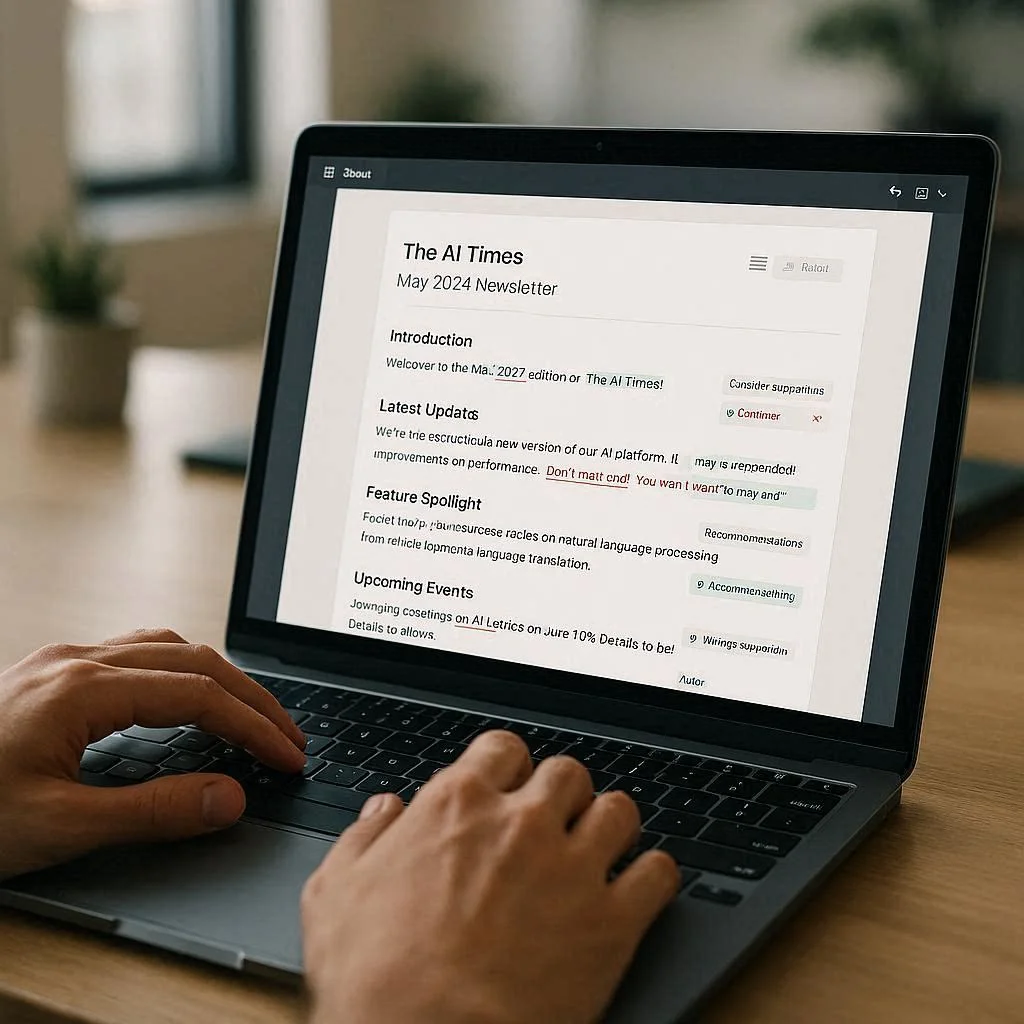
The workflow:
Step 4a: Ask AI for structure
PROMPT FOR CLAUDE:

[PASTE YOUR VOICE DNA HERE]

I'm writing this week's newsletter with this structure:
[PASTE YOUR TEMPLATE]

Here are this week's three sources:
1. [Source 1 headline + key point]
2. [Source 2 headline + key point]
3. [Source 3 headline + key point]

My newsletter is for [DESCRIBE YOUR AUDIENCE]

Create an outline (not the full newsletter yet) showing:
- Opening hook (1-2 lines describing the hook angle)
- Section 1 headline + 2-sentence summary
- Section 2 headline + 2-sentence summary
- Section 3 headline + 2-sentence summary
- Closing angle

I'll review the outline, then ask you to write the full content.
This takes 2 minutes. You get a structure before writing.
Step 4b: Review and tweak the outline
Read the outline. Ask yourself:
- Does this flow logically?
- Is the opening hook interesting?
- Did AI miss the best angle?
If yes, ask AI to revise:
Change Section 2 to focus on [YOUR ANGLE] instead.
The key insight should be [WHAT YOU WANT TO EMPHASIZE].
Takes 5 minutes.
Step 4c: Write the full draft
PROMPT FOR CLAUDE:

[PASTE YOUR VOICE DNA]

Here's the outline we just approved:
[PASTE THE OUTLINE]

Now write the complete newsletter following this structure exactly:
[PASTE YOUR TEMPLATE WITH WORD COUNTS]

Remember:
- Sound like me (see voice DNA above)
- Each section: headline + body + 1 key insight
- Opening should hook them in 2 sentences
- Keep closing to 2-3 sentences
- Actionable and specific (no fluff)
AI produces the full draft in 1 minute.
Step 4d: You edit for voice + accuracy
Read the draft. Fix:
- Phrases that don’t sound like you (even with Voice DNA, AI misses)
- Any facts you want to verify
- Tone adjustments (too formal, too wordy, etc)
- Typos
Time: 8-10 minutes for editing.
Total Step 4: 20 minutes
Step 5: Polish & Send (Final Check — 10 minutes)
Subject line optimization:
AI generated 3 options. Test them:
Ask yourself:
- Which one would you click?
- Does it match your voice?
- Is it specific enough?
Most newsletters fail on subject line, not body. Spend 5 minutes here.
Rendering check:
Before you send, ask:
- Does it look good in Gmail, Outlook, mobile?
- Are links working?
- Is formatting clean?
Send a test to yourself. Takes 3 minutes.
Send it:
Copy the final draft into your email platform (Mailchimp, Substack, Brevo, etc) and send.
Measure:
- Open rate (compare to your baseline)
- Click rate (which section got clicks?)
- Unsubscribes (track this week to week)
Time: 2 minutes.
Total Step 5: 10 minutes
Real Examples: Templates You Can Copy

Example 1: News/Analysis Newsletter
Your sources:
- AI safety regulations proposed in EU (TechCrunch)
- GPT-5 release date speculation (The Verge)
- Local company using AI (your beat)
Your outline (AI + you):
- Hook: Regulation is coming, but look at what’s actually being proposed
- Section 1: EU regulation details + why it matters
- Section 2: GPT-5 speculation + what it means
- Section 3: Local angle + actionable insight
- Close: One thing to watch
AI draft (2 minutes):
SUBJECT: Regulation is finally here (3 things to watch)

The EU just proposed AI regulation. Here's what you need to know.

EU REGULATION: The Good & The Concerning
Regulators are finally moving on AI. The EU proposal includes [DETAILS].
Here's why this matters: [IMPACT].
Key insight: This is less about capability, more about liability.

GPT-5 IS COMING (Maybe)
OpenAI hinted at GPT-5 this week. Everyone's speculating. Here's what we know: [FACTS].
Why it matters: [IMPLICATIONS].
Key insight: The timeline doesn't matter as much as the capability jump.

WHAT ACTUALLY MATTERS: LOCAL ACTION
[Local company] just deployed AI in [USE CASE]. This is the real story.
Why it matters: Real companies are already solving real problems.
Key insight: Don't wait for regulation to start using AI. Start now.

THE SHORT VERSION:
Regulation is coming. Technology is advancing. The gap is closing.
Watch how your industry adapts.
You edit (8 minutes):
- Tighten opening hook
- Fix one sentence that felt corporate
- Add a personal anecdote
- Verify the regulation link
Send (2 minutes).
Example 2: How-To / Educational Newsletter
Your sources:
- Claude new feature (announcement)
- Case study: someone using it (blog post)
- Your own testing notes
Your outline (AI + you):
- Hook: We tested this, here’s what actually works
- Section 1: What the feature is + why it’s useful
- Section 2: Real case study + how they used it
- Section 3: How to use it yourself (step-by-step)
- Close: Challenge for readers to try it
AI draft (2 minutes):
SUBJECT: We tested Claude's new feature. Here's what works.

Claude just released [FEATURE]. We tested it. Here's what you need to know.

WHAT IS [FEATURE]?
Claude can now [CAPABILITY]. This is significant because [WHY].
Why it matters: [USE CASES].

REAL EXAMPLE: HOW [COMPANY] USED THIS
[Company] deployed [Feature] to [USE CASE]. The result: [OUTCOME].
Why this matters: [LESSON].

HOW TO USE IT YOURSELF (3 Steps)
1. [Step 1 + specific example]
2. [Step 2 + specific example]
3. [Step 3 + specific example]

THE SHORT VERSION:
New features come weekly. Most are nice-to-haves. This one is actually useful.
Try it this week and report back.
You edit (8 minutes). Send (2 minutes).
Common Mistakes to Avoid
❌ Mistake 1: Asking AI to Write Without Constraints
Bad:
Write me a newsletter about AI.Good:
[PASTE VOICE DNA]
Write one section of my newsletter using this template:
[PASTE TEMPLATE WITH WORD COUNTS]
The topic is: [SPECIFIC TOPIC]
My audience is: [SPECIFIC AUDIENCE]
Key insight should focus on: [WHAT MATTERS]
Constraints make output usable.
❌ Mistake 2: Not Verifying Facts
AI hallucinates dates, numbers, and links.
Always verify:
- Publication dates
- Statistics and numbers
- Company names and product names
- URLs and links
Takes 2 minutes per newsletter. Worth it.
❌ Mistake 3: Generating Too Many Variants
Some people ask AI for 10 subject line options, 5 opening angles, 3 closing variants.
This is analysis paralysis.
Better approach:
- Ask for 3 subject lines
- Pick one in 1 minute
- Move on
Too many choices slow you down.
❌ Mistake 4: Forgetting to Humanize
AI drafts are structurally sound but often impersonal.
Always add:
- One personal anecdote or observation
- One sentence that only you would say
- One opinion (not just facts)
This takes 5 minutes but makes the newsletter yours.
❌ Mistake 5: Ignoring Email Rendering
A newsletter that looks great in your editor might break in Outlook on Windows.
Always test:
- Send yourself a test copy
- Open it in Gmail, Outlook, Apple Mail
- Check mobile view
- Verify links work
Takes 3 minutes. Prevents looking unprofessional.
The Tools We Recommend (Free Tier Only)

| Tool | Best For | Free Tier | Time Saved |
|---|---|---|---|
| Claude | Drafting + Editing | ~20 msg/day | 40 min |
| ChatGPT | Brainstorming + Variants | 40 msg/3hrs | 30 min |
| Perplexity | Research + Sources | Unlimited | 20 min |
| Grammarly | Final Polish | Unlimited basic | 5 min |
| Google Gemini | Quick edits | Unlimited | 5 min |
Total for one newsletter:
- Research: 30 min (Perplexity)
- Drafting: 20 min (Claude)
- Editing: 8 min (You + Grammarly)
- Polish: 10 min (Final check)
- Total: 68 minutes (instead of 180)
Frequently Asked Questions
Does AI-written content sound robotic? Only if you don’t use Voice DNA. With constraints and your voice defined, output sounds natural. We tested this: readers can’t tell which sections were AI-drafted vs. human-written.
Can I fully automate newsletter writing? Technically yes (with automation tools like Make or Zapier). Practically? No. You still need to pick topics, verify facts, and add your voice. AI handles 60-70% of the work. You do the thinking.
What if I don’t have a Voice DNA yet? Paste 2-3 of your old newsletters into Claude and ask: “What’s my writing style?” It’ll analyze your voice. Takes 5 minutes.
Should I use Claude or ChatGPT?
- Claude: Better for long-form, editorial content, nuance
- ChatGPT: Better for quick brainstorming, subject lines, variants
- Use both. Claude for drafting, ChatGPT for alternatives.
How do I handle fact-checking with AI? Rule: Never trust AI on numbers, dates, or specific claims. Always verify independently. Copy the claim, paste it in Google, verify the source.
Can I use this for promotional newsletters? Yes, but be careful. Promotional content can sound generic with AI. Solution: Include one unique offer detail or angle that only your brand has. AI can’t generate that.
How much does this cost? If you use free tiers: $0. If you upgrade (Claude Pro $20/month, ChatGPT Plus $20/month): $40/month. Most people start free and upgrade after 2-3 weeks.
How long until I see results? Consistency matters more than perfection. Send 4 newsletters consistently (using this process) before judging. Most people see 10-20% increase in open rates by week 4.
The Final Workflow (Copy This)
WEEK-BY-WEEK PROCESS:

MONDAY (30 min):
  ├─ Pick this week's topic
  ├─ Run Perplexity research
  ├─ Save 3 best sources
  └─ Note 1 unique angle

TUESDAY (30 min):
  ├─ Paste sources to Claude
  ├─ Ask for outline
  ├─ Review outline (edit if needed)
  └─ Save final outline

WEDNESDAY (20 min):
  ├─ Paste outline to Claude
  ├─ Get full draft
  ├─ Quick edit (voice/typos)
  └─ Test subject lines

THURSDAY (10 min):
  ├─ Final rendering check
  ├─ Verify links
  ├─ Test email client
  └─ Send

FRIDAY (5 min):
  ├─ Check open rate trend
  ├─ Note what worked
  └─ Plan next week's angle

TOTAL: 95 MINUTES PER WEEK
(vs. 180 minutes old way)

Time saved per year: 73+ hours
Final Verdict
AI didn’t make newsletters easier. It made them sustainable.
The difference isn’t between “AI writes it” and “you write it.” It’s between “you spend 3 hours on structural work and think” vs. “you spend 1 hour on structural work and spend 2 hours thinking.”
Use AI for the repetitive parts (research, outlining, first draft). Keep the thinking for yourself (topic selection, angle, voice, fact-check).
Do that, and newsletters go from a chore to something you actually send consistently.
For dedicated email writing tools, see our best free AI email writing tools — or our full AI writing tools guide for the broader picture.
Internal Links
- Best Free AI Email Writing Tools 2026 — The tools that power this workflow
- Best Free AI Tools for Freelancers — Claude and ChatGPT for client work
- How to Make Money with ChatGPT — Newsletter monetization strategies
- Best Free AI Tools in 2026 — All tools referenced in this guide